Flame now connects to live Firebase projects
The same desktop UI for the emulator and production. Live connections stay read-only until you turn that off.
Publicado em 18 de agosto de 2026
Por Val
We built Flame because the Firebase emulator UI on localhost:4000 was not
enough for daily work. For a long time that was the whole product: a desktop
app for local Auth, Firestore, Functions, queues, Storage, and logs.
Production was a different app. The Firebase Console. Different layout, same users and documents. You debug locally in Flame, then you leave it to check the live project.
That split is over. From Flame 1.3, you connect a live Firebase project the same way you add an emulator. One sidebar. One set of views. Switch when you need to.
Same UI, live data
A live connection is not a new product. It is the Flame you already use, pointed at production.
Auth, Firestore, and Storage work on a live project. Browse collections, open documents, inspect users and files. The document you have open updates when it changes elsewhere. Context menus still copy paths and IDs, and they can open the same location in the Firebase Console if you need it.
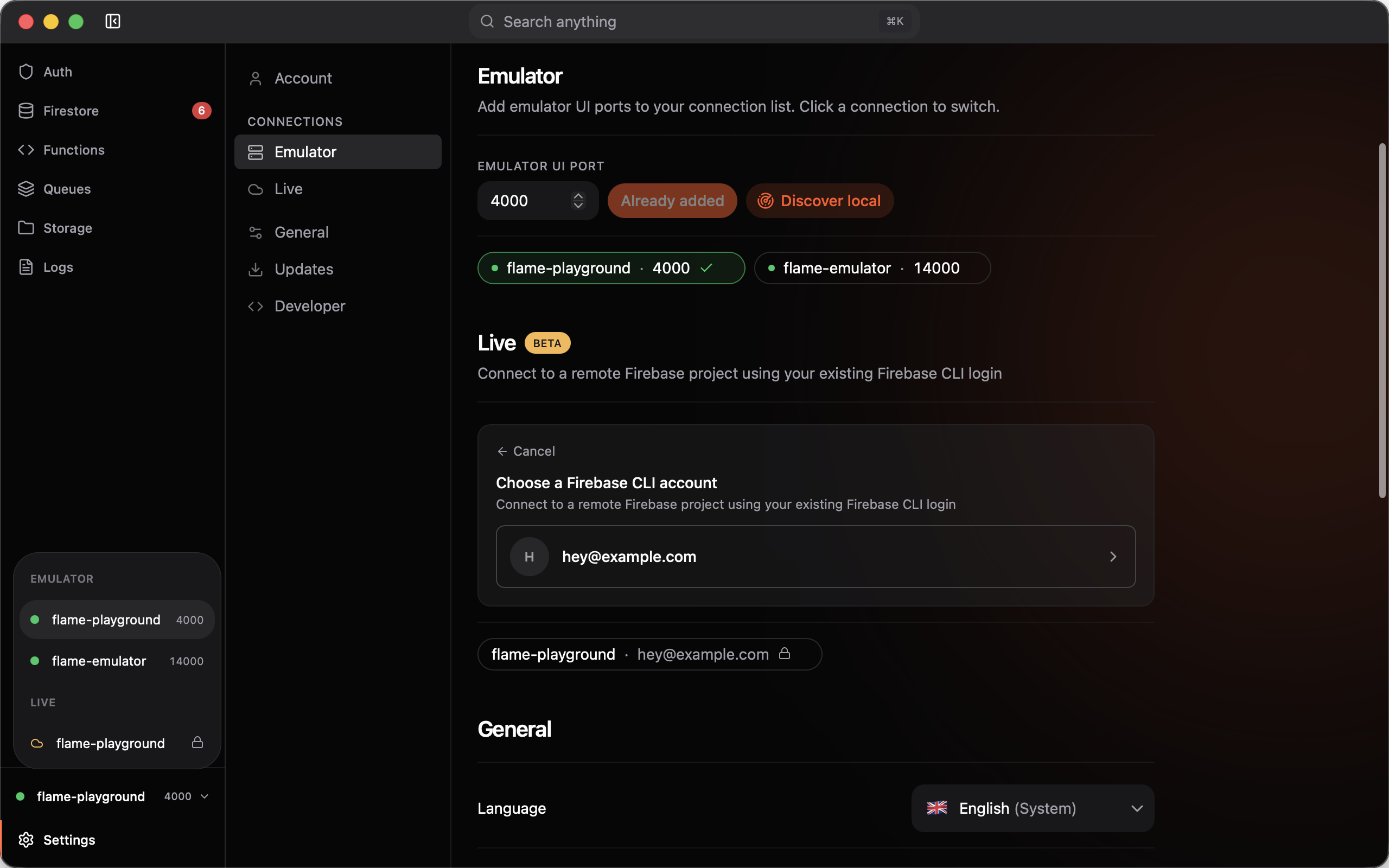
Flame reuses the Firebase CLI login on your machine. Open Settings →
Live, choose Connect to live project, pick an account, pick a project.
No second Google sign-in. If Flame finds no CLI accounts, run firebase login and try again.
Read-only until you say otherwise
A live connection starts as Read-only. You can browse and search. Creates, updates, and deletes are blocked.
That is the default because production data is easy to break. Right-click the connection in the sidebar or in Settings and uncheck Read-only when you need a write. Turn it back on when you are done.
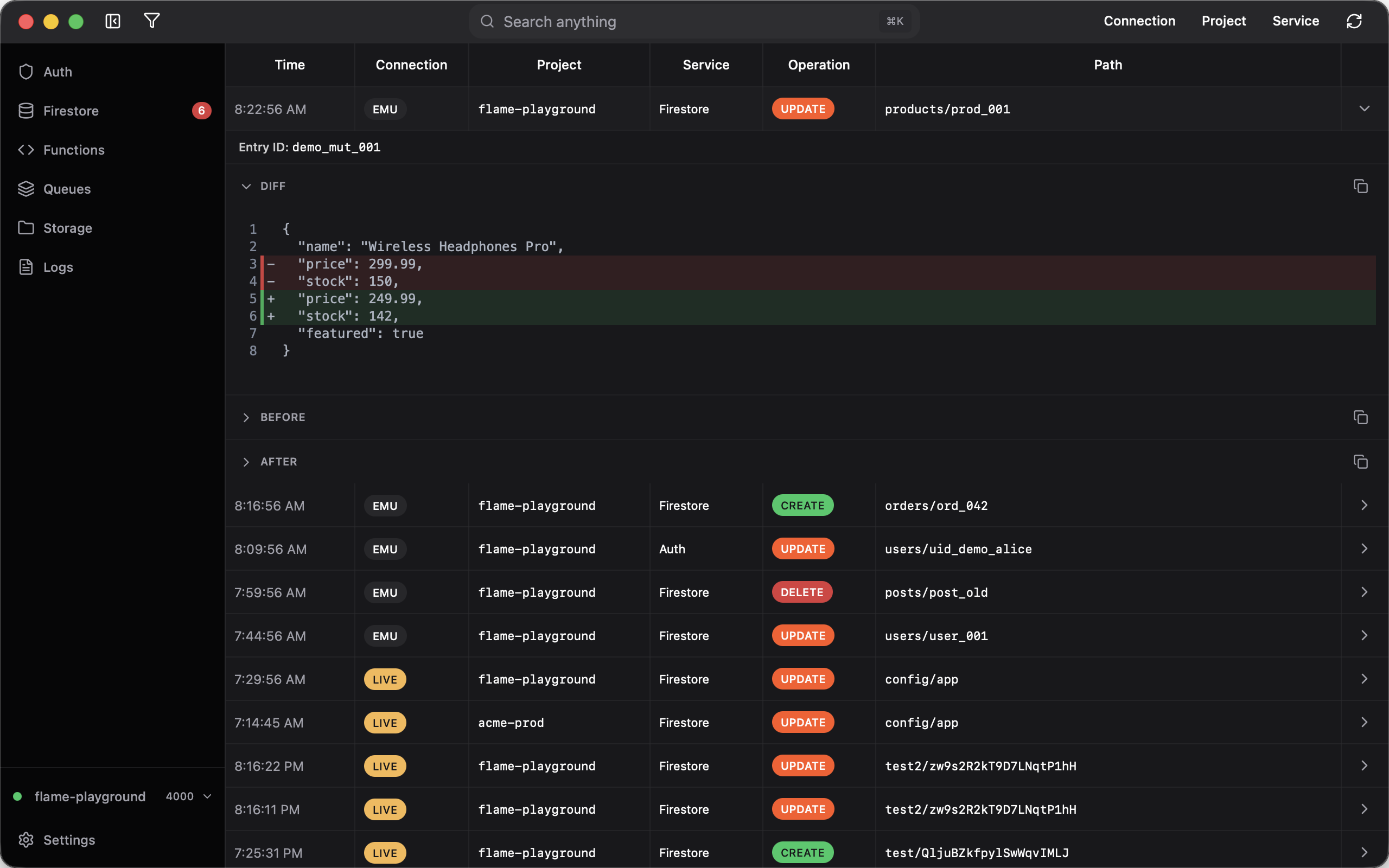
When a connection is read-write, Flame records every write it makes in Firestore, Auth, and Storage. Help → View Mutation History… (or the tray) shows the last 30 days, with a before/after diff. It is a log of what Flame changed, not undo for production. Emulator writes go in the same journal. Filter by connection if you keep both.
What is still emulator-only
Live projects are in beta.
Functions, queues, logs, the Firestore requests inspector, and index suggestions stay on the emulator. They depend on local emulator traffic.
Auth on a live project is also narrower. You can view and edit users, but you cannot bulk-create test users, change UIDs, manage providers, or edit MFA factors. Use the emulator for that kind of setup.
Try it ✨
Download Flame and add a live project next to your emulator. Leave it read-only until you need a write.