A better emulator
for Firebase
Enhanced features for local development. Desktop app with better UX, powerful tools, and seamless integration.

Powerful features for Firebase development
Flame enhances the Firebase emulator experience with better UX, more features, and native desktop performance.
Productivity
Search and filter across every emulator service

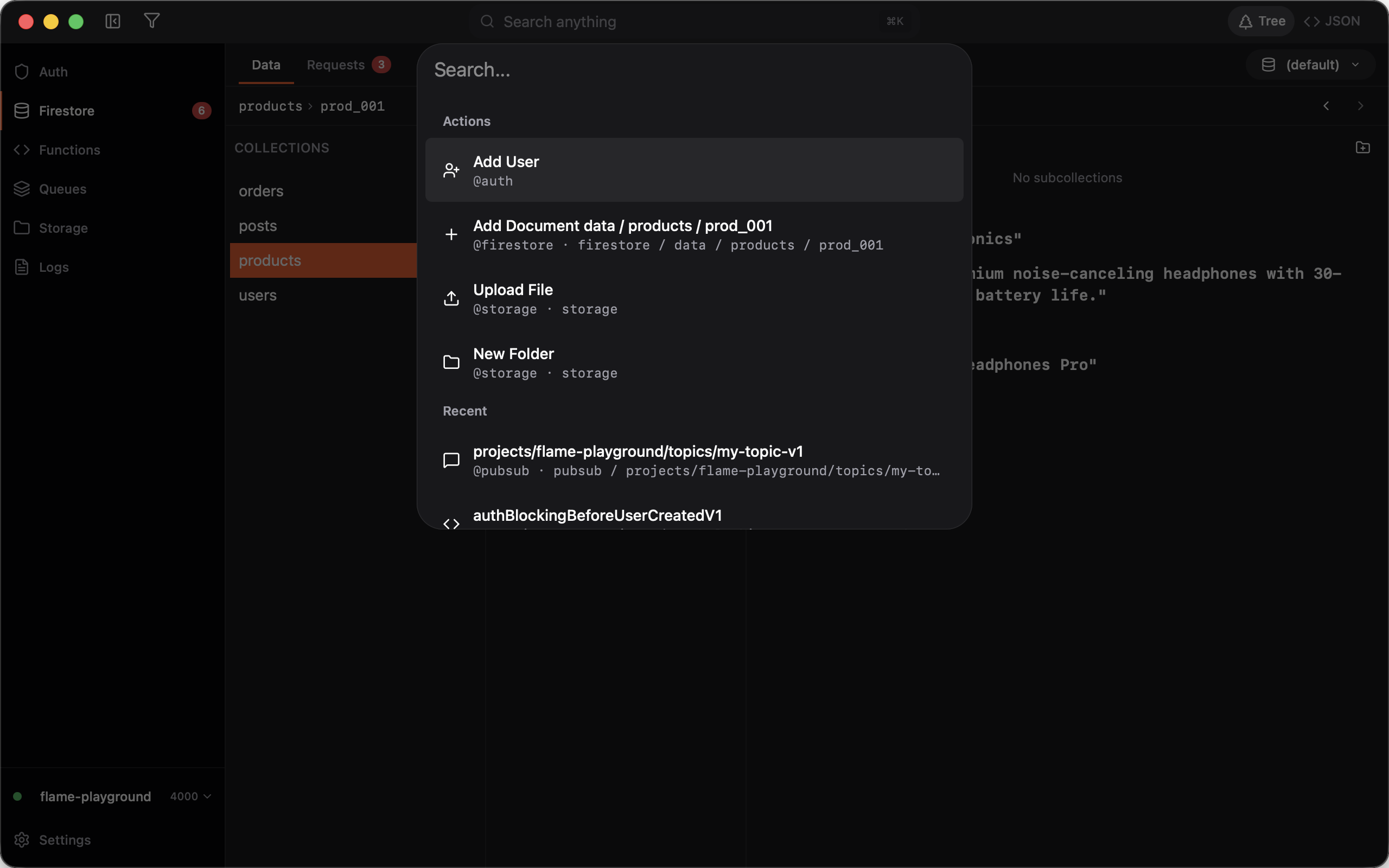
Global search
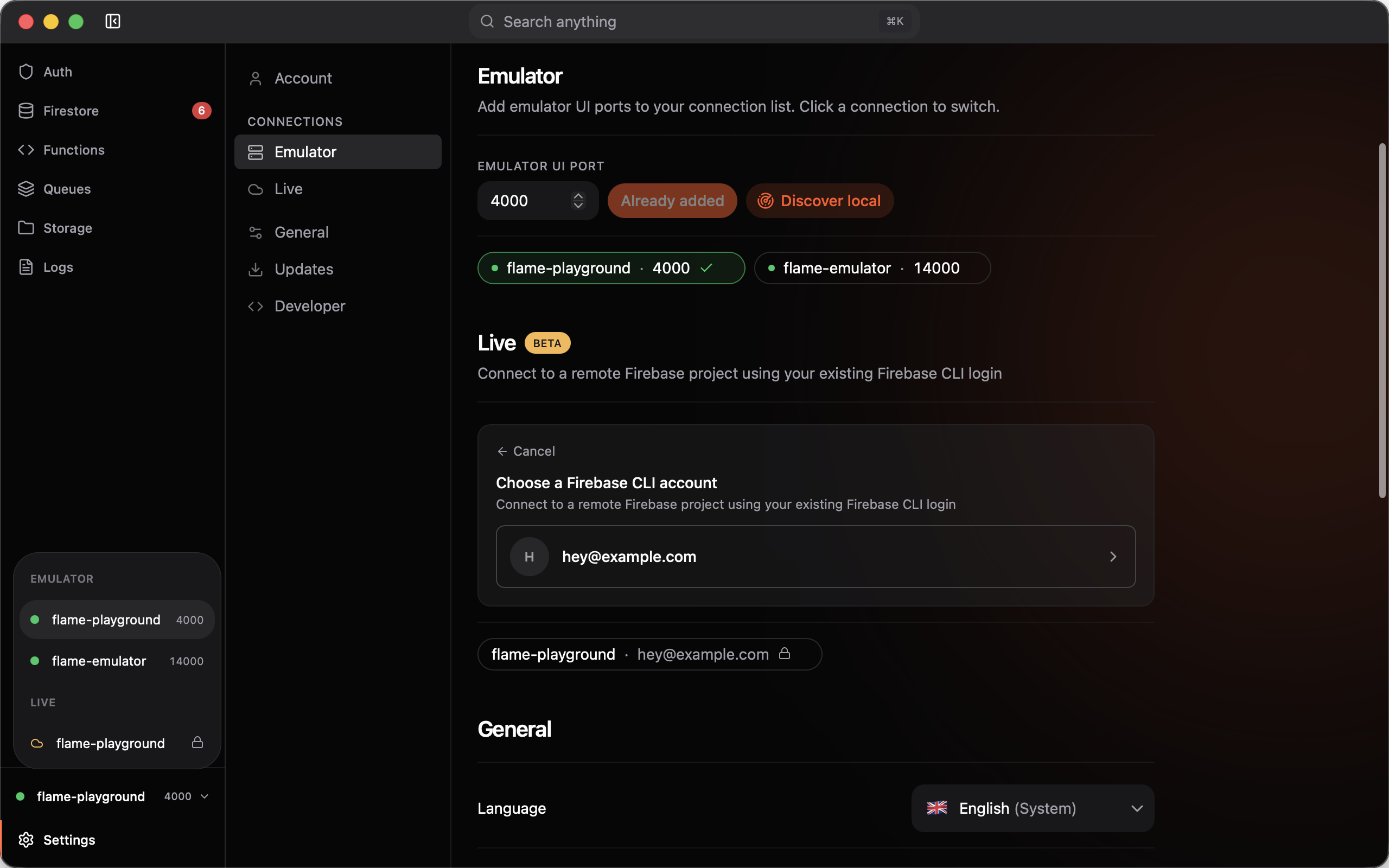
Flame puts navigation at your fingertips. Open the command palette with ⌘K, filter any list inline, and work in your language — fully translated across five locales.
Also included
Unified filtering
Every list has the same search bar in the header — filter users, documents, functions, and files without learning a new pattern each time.
Fully translated
English, French, Spanish, German, and Portuguese
Firestore
Browse and edit emulator data with confidence

Document browser
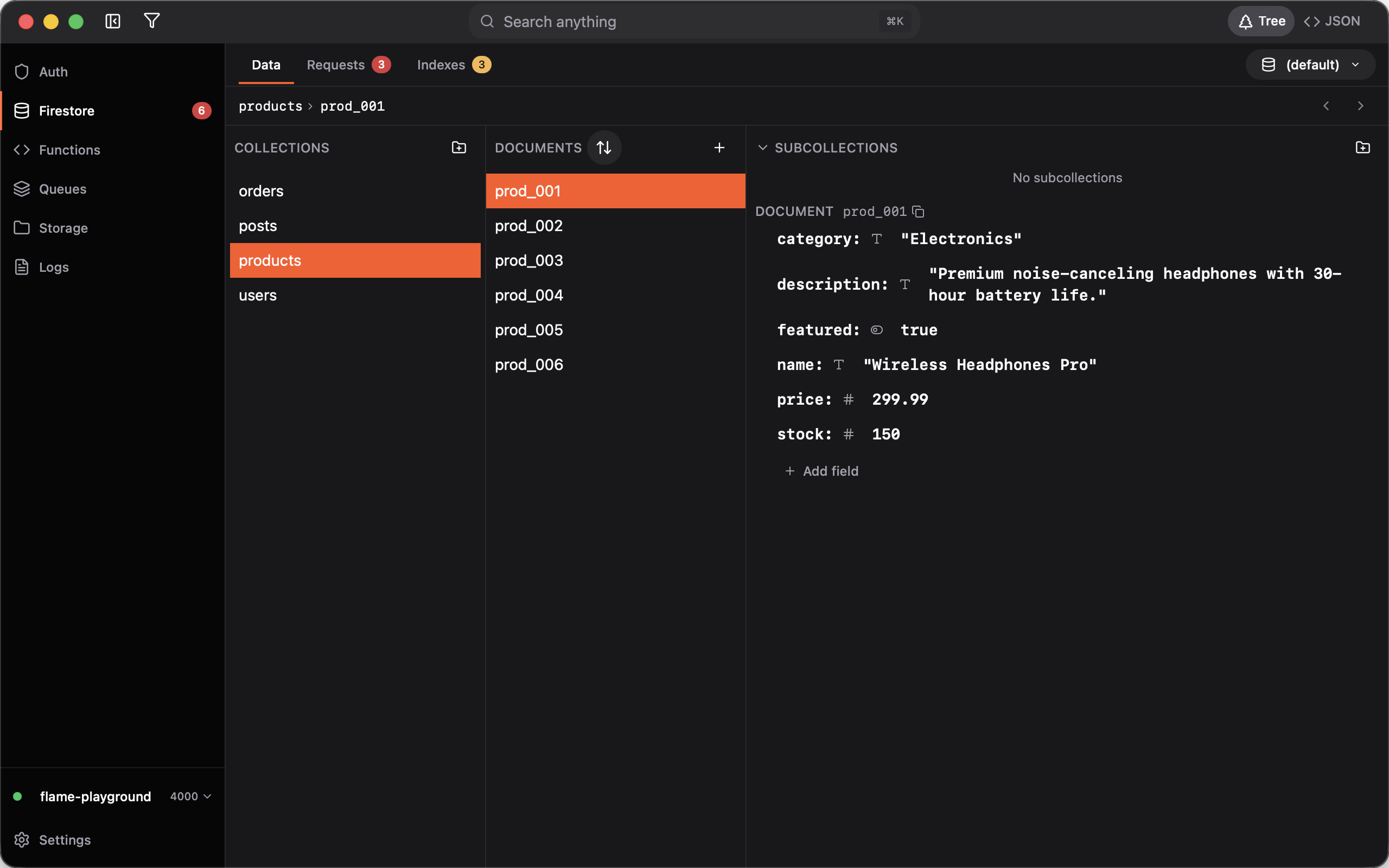
A three-pane layout for collections, documents, and fields. Switch between tree and JSON views, bulk-create test data, undo with ⌘Z, and watch every request in the inspector.
Add documents
Create a single document or generate many at once from a JSON template — set collection path, document ID, and field values in one drawer.

Requests inspector
See every Firestore request as it happens. Expand failures inline and catch permission or index issues before they reach production.

Index suggestions
Flame tracks queries that need composite indexes and shows the exact diff to add to firestore.indexes.json — apply or dismiss each suggestion.

Also included
Bulk creation
Generate dozens of documents from a JSON template or pattern — perfect for seeding local data before you write a line of app code.
Undo
Made a mistake? Press ⌘Z to roll back edits and deletions. Experiment freely on emulator data without fear.
Tree & JSON views
Switch between a structured tree and raw JSON depending on what you are editing. Table view is on the way.
Bulk deletion
Select multiple documents and delete in one action
Inline field editing
Edit values directly in the tree or JSON pane
Authentication
Test users without Emulator Suite friction

User management
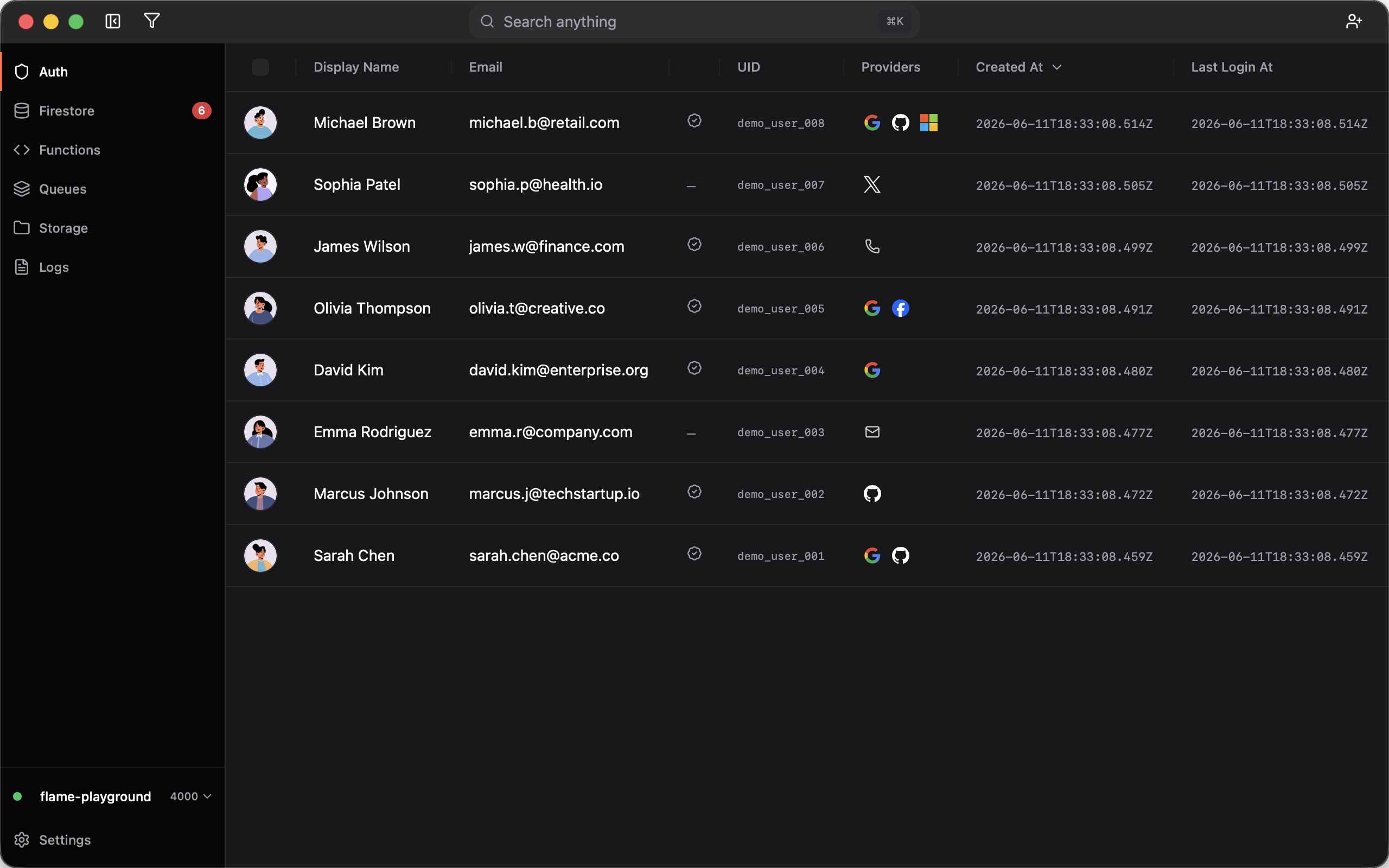
A proper user table with inline edits, multi-select bulk actions, and deep drawers for claims, MFA, and linked sign-in providers.
Create & edit users
Open the user drawer to set email, password, custom claims, linked providers, and MFA factors — or spin up multiple test users with bracket notation.

Also included
Bulk user creation
Spin up multiple test users with realistic names, emails, and avatars in one dialog — no scripts required.
Custom claims editor
Edit role and permission claims with a visual JSON editor and validation — catch typos before your security rules silently fail.
Providers & MFA
Link multiple sign-in providers per user and manage multi-factor authentication factors from the same drawer.
Inline editing
Edit email, display name, and UID directly in the table
Bulk enable, disable & delete
Multi-select users and act on all of them at once
Functions & Queues
Invoke and debug functions without leaving the app

Function runner
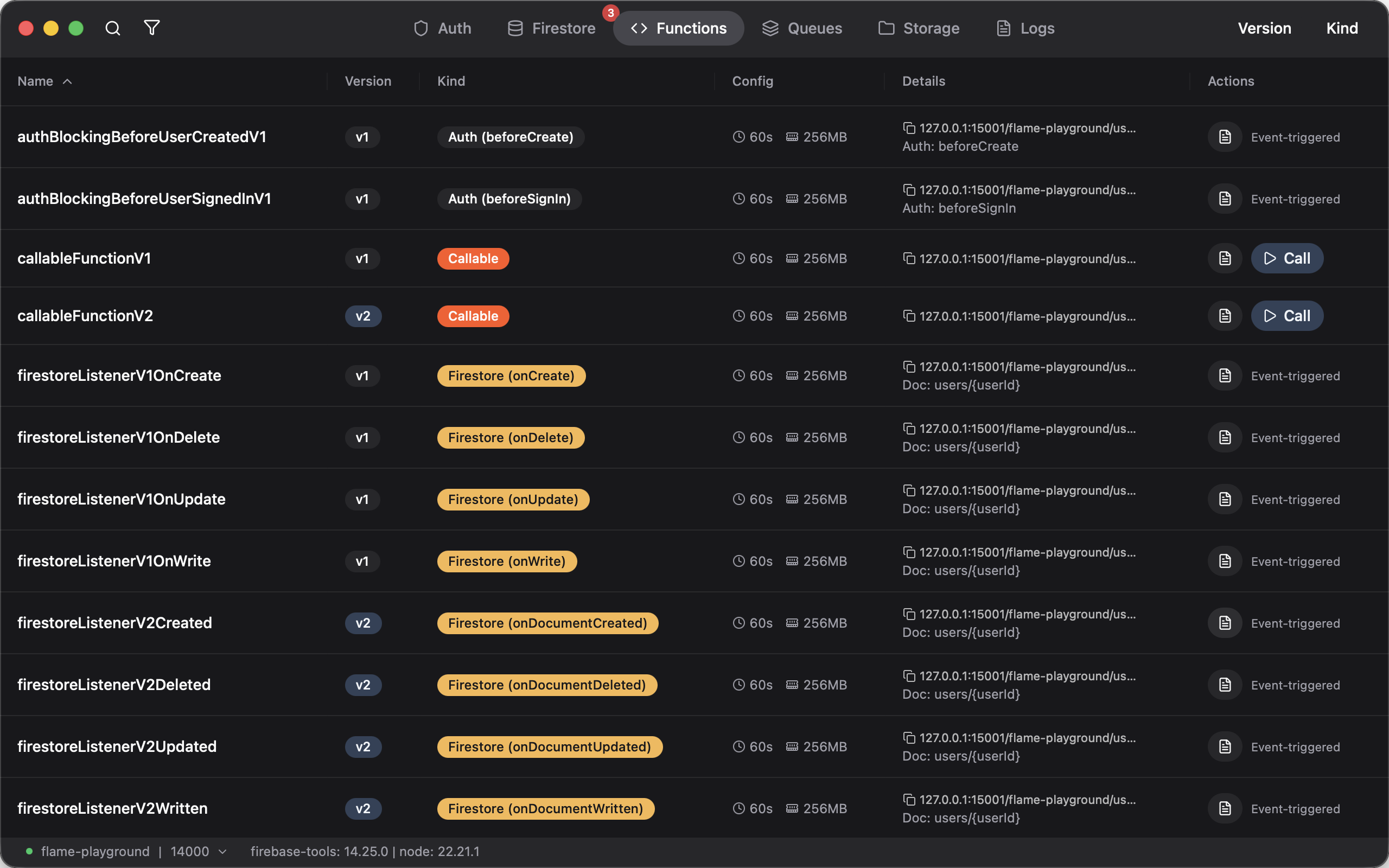
Run Callable, HTTP, scheduled, Pub/Sub, and task-queue functions from one list. Edit payloads, read responses, push to queues or execute directly, and copy any request as cURL.
Call from the UI
Open any function, tweak the JSON input, run it, and inspect the response — or copy the exact cURL command for your terminal.

Also included
Queue or run directly
For Pub/Sub and task-queue triggers, choose whether to push a message to the queue or invoke the handler immediately.
Input editing
Edit JSON payloads before each run
Response viewer
Formatted output after every invocation
cURL export
Copy requests as terminal-ready commands
Storage
A file browser built for emulator buckets

Bucket browser
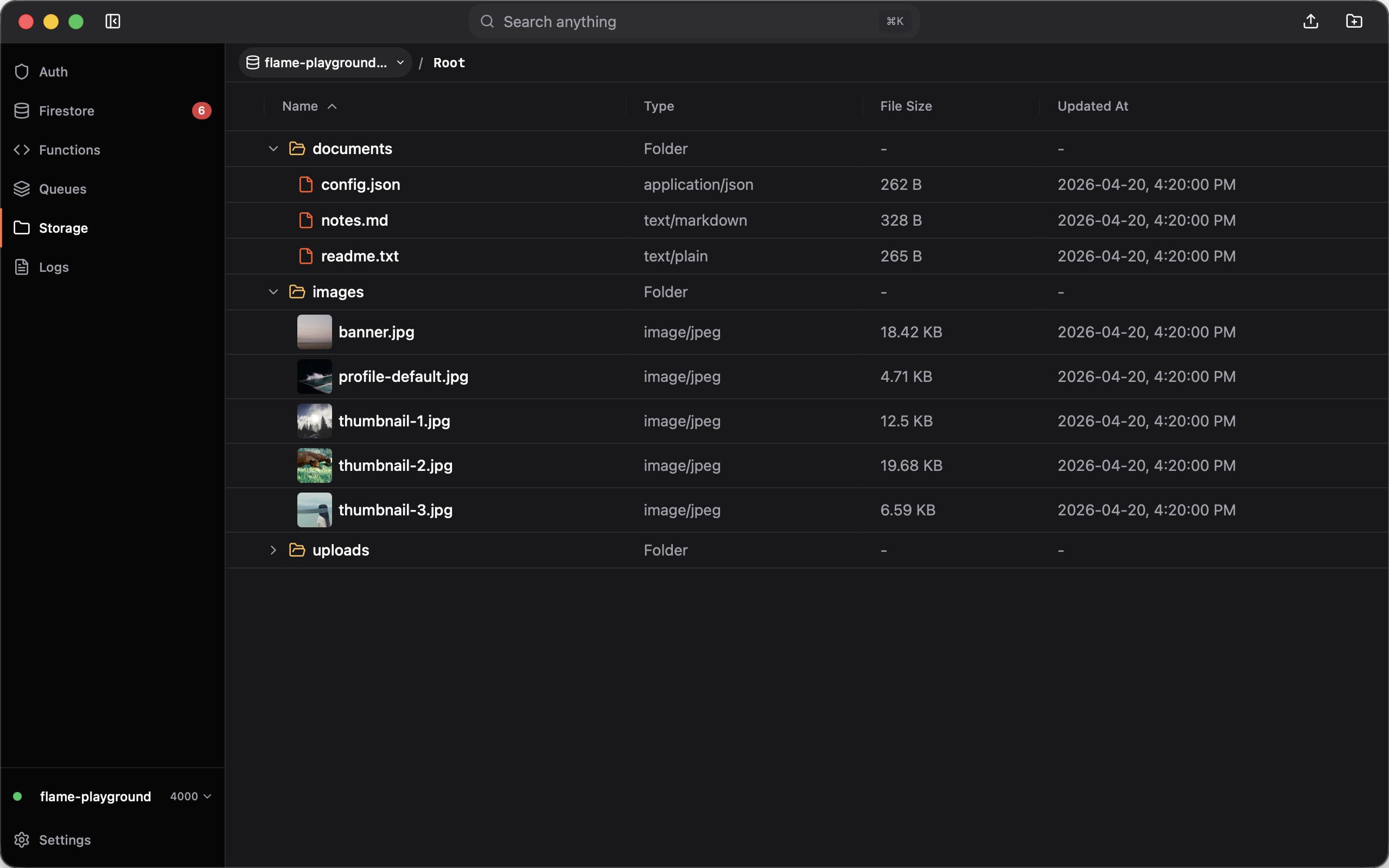
Navigate buckets in a visual tree, drag files in, and manage folders and objects with rename, move, duplicate, and delete — all without a separate upload tool.
File preview
Open any file to see metadata, content type, size, and a download link — images show an inline preview.

File operations
Rename, move, duplicate, and delete from the context menu. Metadata and download links are one click away in the details drawer.

Also included
Tree navigation
Expand folders inline, sort by name or date, and see thumbnails for images without opening a preview pane.
Drag and drop upload
Drop files anywhere on the storage view
Bulk upload
Upload many files in a single action
Folder management
Create, rename, and delete folders inline
Logs
Stream emulator output in one live view

Emulator logs
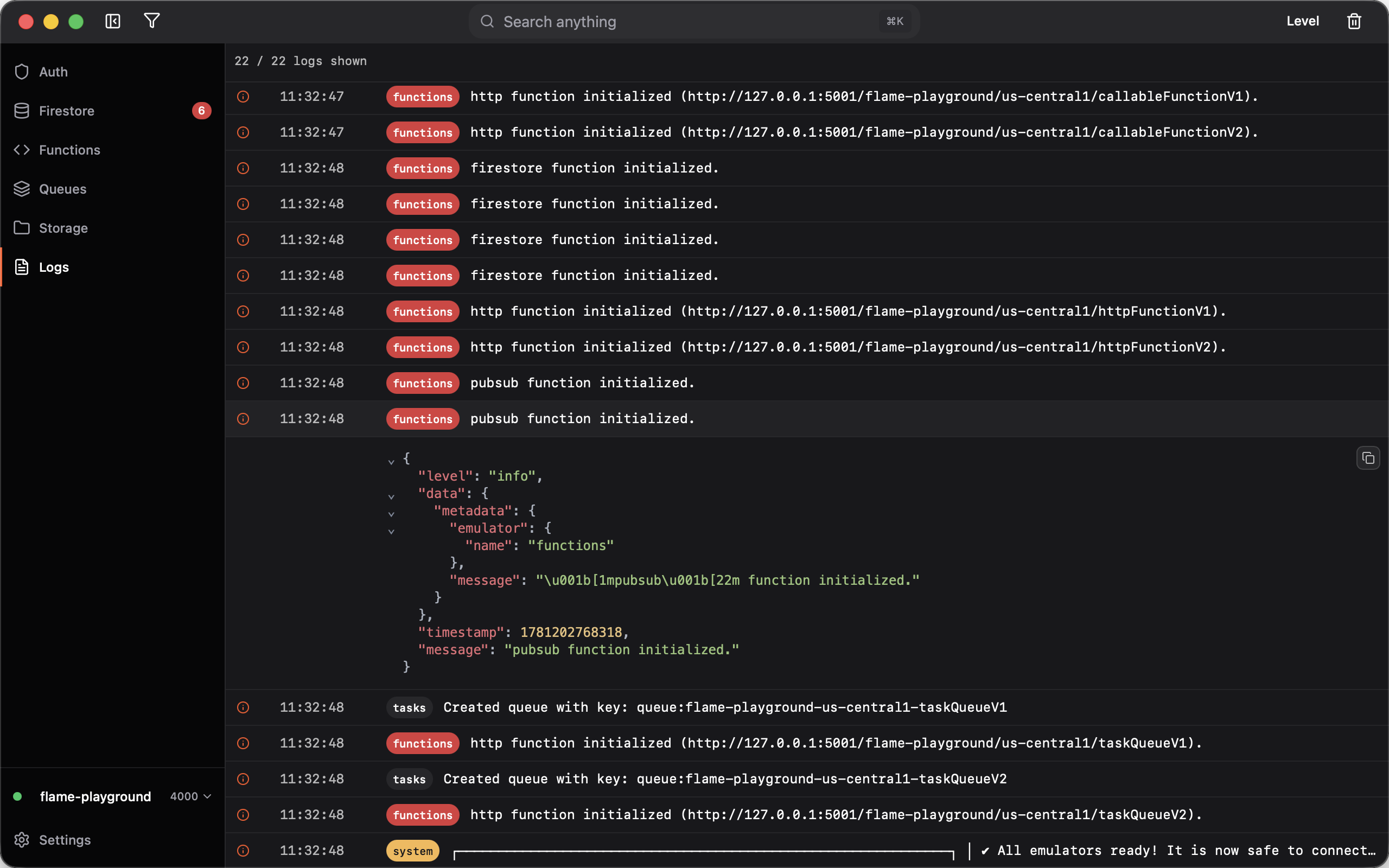
Watch Functions, Firestore, Auth, and Tasks boot logs stream in real time. Expand any entry for raw JSON, filter by level or emulator, and jump to the latest lines as new output arrives.
Also included
Expandable entries
Click any line to inspect payload or raw JSON inline
Query filters
Filter by level, emulator, function name, or free-text search
Auto-scroll
Stays pinned to the latest output until you scroll up
Copy entries
Copy any log as formatted JSON for sharing or debugging
Frequently asked questions
Everything you need to know about Flame.
Ready to get started?
Download Flame and start enhancing your Firebase emulator experience today.