Browse a Firestore collection as a table
Turn a Firestore collection into rows and field columns. Scan, sort, filter, and edit without opening every document.
Publié le 20 août 2026
Par Val
The Firebase Console lists document IDs. You click one, read its fields, go
back, click the next. The emulator UI on localhost:4000 does the same. That
works for a single record. It fails when you need to compare one field across
a collection: which orders are paid, which products have featured: true,
which users are missing an email.
Flame already had Tree and JSON for Firestore. Tree is three panes: collections, documents, and fields. JSON is the raw object. Both still start from one document.
Table view puts the whole collection on one screen.
Switch to Table
Open Firestore, select a collection, and click Table in the Tree / JSON / Table control.
Each row is a document. Each column is a field. Document ID stays on the left.
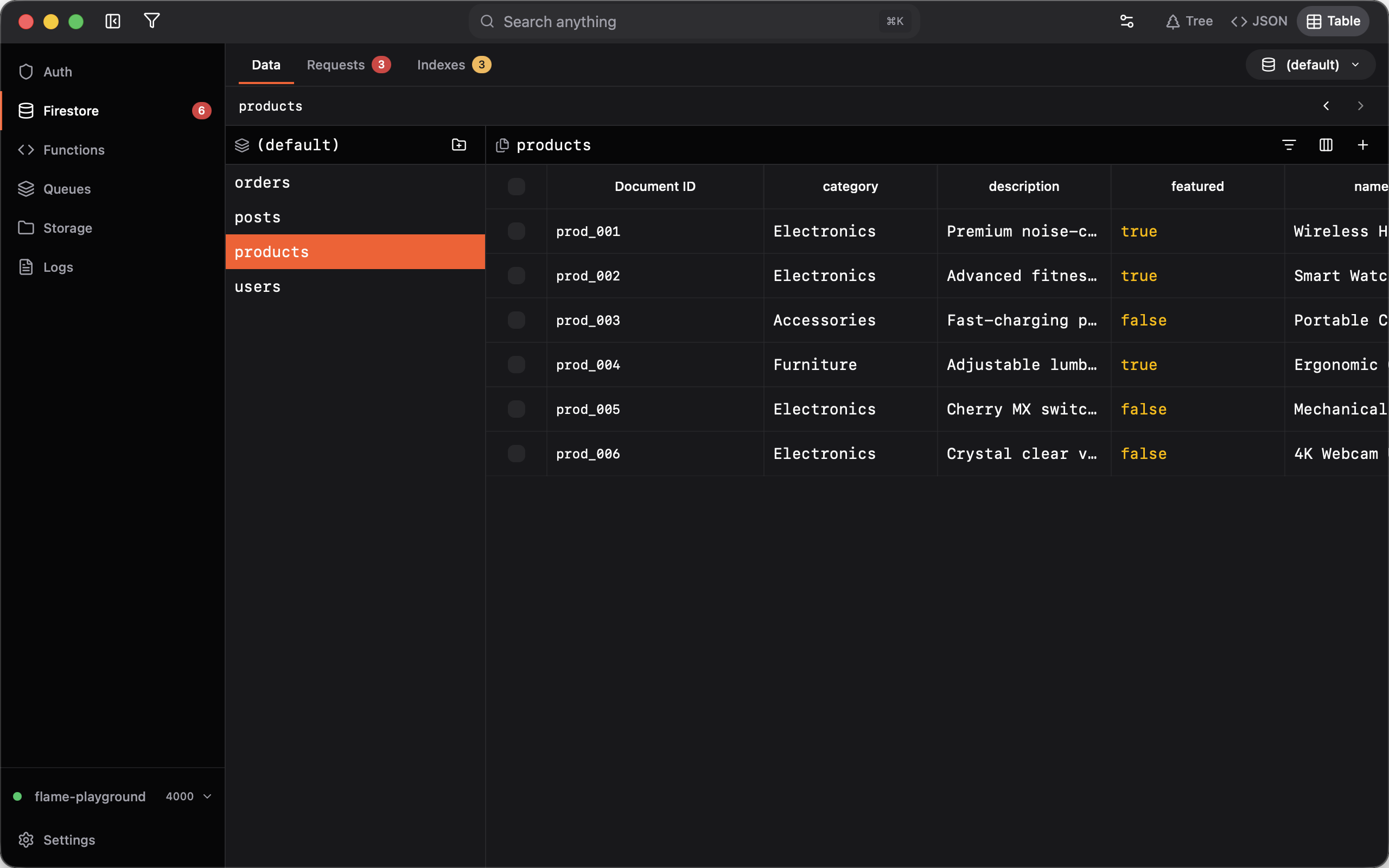
Documents in a collection do not share one schema. A field that exists on some rows and not others shows as an empty cell. You still see every document.
Scan without opening documents
Values are colored by type, so a boolean does not look like a string, and a timestamp does not look like a number. Long values truncate. Hover a cell for the full text.
Nested maps show up as dotted paths, for example address.city. You can scan
nested fields without expanding a tree.
Columns
Use the columns control to show, hide, and reorder fields. Drag a header to resize. Flame remembers the layout per collection. Reset it if you want the defaults back.
Edit in the cell
Click a scalar cell to edit it: string, number, boolean, timestamp, geopoint, or reference. Undo still works: ⌘Z (Ctrl+Z).
Array fields stay compact in the table. Double-click the cell, or the document ID, to open that document in Tree.
Sort, filter, and display formats
The filter control sorts and filters by any field, including nested paths and document ID. Combine where clauses, sort keys, and a limit. The same query applies in Tree and Table.
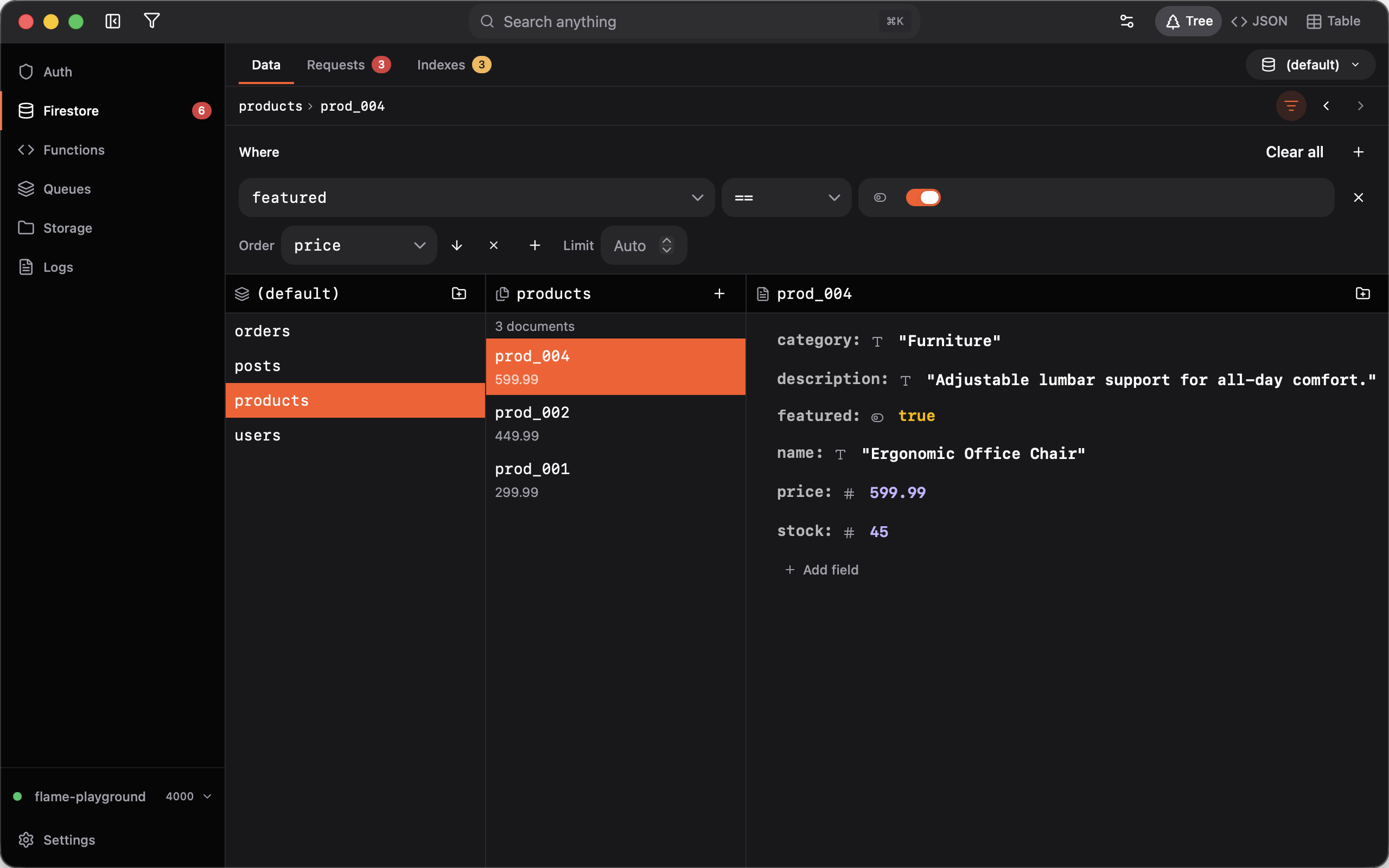
Display formats (the gear in the toolbar) change how timestamps, geopoints, and numbers look: local time or ISO, degrees or decimal, raw or locale. The setting applies in Tree, JSON, and Table.
Several documents at once
Select rows to delete them together. Right-click to duplicate a document. Add one with the + button or ⌘N (Ctrl+N).
Emulator and live projects
Table view works on a local emulator and on a live Firebase project. Live projects stay read-only until you unlock them.
Flame: the missing UI for Firestore ✨
This is why we built Flame, a desktop GUI for Firebase Auth, Firestore, Functions, Queues, and Storage. Same UI on the emulator and on a live project.
No more clicking through document IDs to compare one field. Open the collection, switch to Table, and scan.